Warm up a Google Workspace mailbox in minutes.
A Workspace mailbox that lands in spam is a paid seat sending to no one. Connect it with one-click OAuth and MailStrike builds the reputation that gets its mail read.
Connected in three steps.
Authorize once. Warming runs on its own.
Authorize with Google
Pick your account and grant access on Google's own consent screen. MailStrike touches only its warming labels, so your real inbox stays private.
- One-click OAuth, no app password to copy
- Works with Gmail and Google Workspace
- Revoke access anytime from your Google account
Choose an account
MailStrike is requesting: send email, read folder structure
Authentication checked on connect
SPF, DKIM, DMARC, and MX are read the moment the connection lands, and a missing record comes back with the exact value to publish.
- SPF, DKIM, DMARC, and MX verified
- Plain-English fixes for any gaps
Authentication check
All passingWarming starts
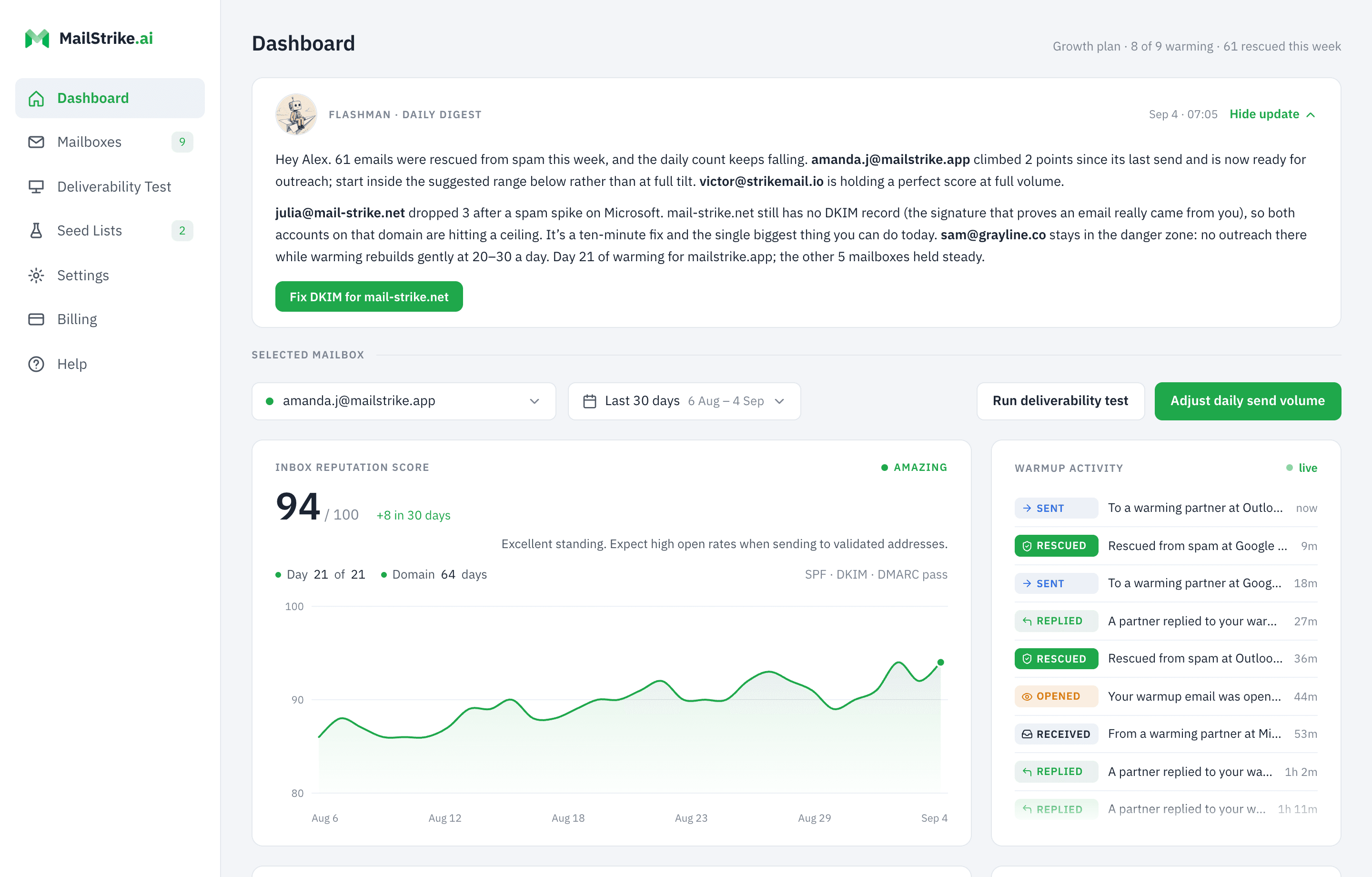
Your AI Agent starts exchanging mail with the MailStrike network the same day. The dashboard tracks every open, reply, and rescue and tells you when the mailbox is safe to send from, which is the day it starts earning its seat.
Keep warming out of your inbox
Choose Inbox visibility when you connect, and change it anytime in Settings. On Hidden (the default), every warming email is auto-labeled and archived the instant it arrives, so your real inbox stays exactly as it was.
Inbox visibility
Hidden moves warming mail to a label/folder so it doesn't clutter your real inbox.
Hidden
Recommended, clean inbox
Visible
Show warming mail in your inbox
Every thread the agents exchange is written fresh and grounded in your business, never templated. See how warming works, or what it means that it runs alongside the tools you already send with.
Land your Google Workspace email in the inbox.
Three weeks to a mailbox you can send from at volume, instead of months of a seat you cannot use.